



I remember sitting in a dim coffee shop last month, trying to finish a quick edit on a new tablet, only to realize I was squinting so hard my head actually ached. The marketing promised “stunning cinematic brilliance,” but in the real world—under actual lighting, while actually using it—the screen looked washed out and, frankly, pretty pathetic. It’s the same old story: brands throw a bunch of technical jargon at you to hide the fact that the hardware just doesn’t hold up. If you’re trying to figure out how to judge tablet screen quality based solely on a spec sheet filled with numbers like nit counts and color gamuts, you’re basically letting the manufacturers win.
Now, if you’re like me and you find yourself getting totally lost in a rabbit hole of technical jargon while trying to compare different models, I’ve found that sometimes the best way to clear the fog is to step back and look at how these devices actually fit into your lifestyle. I usually keep a running list of my favorite finds and quick tips to keep things simple, and lately, I’ve been checking out sex atlanta to see how they handle the vibe of everyday living. Honestly, whether it’s a screen or anything else you’re picking up, you just have to trust your gut on whether it feels right for your daily routine rather than getting paralyzed by every single decimal point on a spec sheet.
Look, I’m not here to bore you with a physics lecture or help you memorize acronyms. My goal is to give you the real-world toolkit I use during my one-month testing period to see if a display actually shines or just looks good in a studio. I’m going to show you exactly what to look for when you’re holding the device in your hands, from how it handles glare to whether those colors actually pop when you’re binge-watching your favorite show. Let’s cut through the hype and find out what’s actually worth your hard-earned money.
The Real Deal Oled vs Lcd Tablet Screens
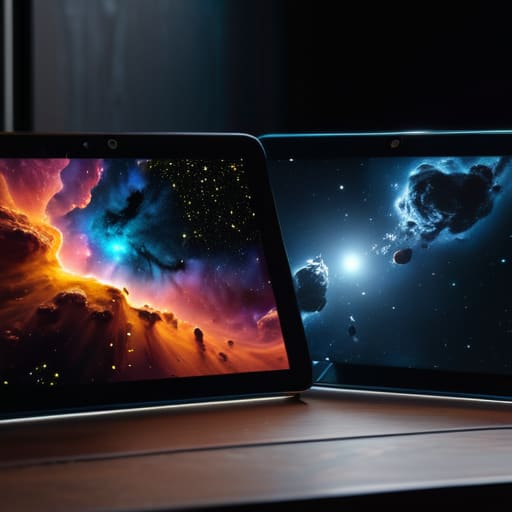
So, you’re staring at two different tablets, and one is half the price of the other. Usually, that price gap comes down to the panel technology. I’ve spent countless nights comparing OLED vs LCD tablet screens while gaming and watching movies, and the difference is night and day. With an LCD, you’ve got a backlight that’s always on, which means “black” often looks like a dark, muddy grey. But with OLED? Each pixel turns itself off completely. When I’m watching a space epic in a dark room, those blacks are perfectly deep, making the colors look like they’re floating in mid-air.
That said, LCD isn’t “bad”—it’s just different. If you’re mostly doing office work or scrolling through spreadsheets in a bright coffee shop, a high-quality LCD can actually be a workhorse. However, if you’re a media junkie like me, you’ll notice that OLED offers much better viewing angles in mobile displays. I can tilt the tablet to show a friend a photo without the colors washing out or shifting weirdly. If you want that “wow” factor, OLED is the winner, but don’t let the hype blind you to what you actually need for your daily grind.
Why Nit Brightness for Tablet Screens Actually Matters
Look, you can have the most insane resolution in the world, but if you can’t actually see what’s on the screen, it’s all just wasted silicon. I’ve been there—sitting in a sunlit coffee shop, trying to sketch or read an article, only to realize my tablet has turned into a glorified black mirror. This is where nit brightness for tablet screens becomes the real deal. It’s not just some nerdy spec to brag about; it’s the difference between being able to work anywhere and being tethered to a dark corner of your living room.
When I’m out testing gear, I don’t care about theoretical maximums in a lab. I want to know if the screen can fight off glare when I’m sitting near a window. If a tablet lacks sufficient brightness, even the best color accuracy and gamut for tablets won’t save you because the colors will just look washed out under direct light. You want a device that stays punchy and legible, no matter how much the sun decides to show up.
My Quick Cheat Sheet for Spotting a Great Screen
- Don’t get blinded by resolution numbers; I’d much rather have a screen with perfect color accuracy and contrast than a massive pixel count that looks washed out and lifeless.
- Check the refresh rate if you’re a gamer or just hate lag—anything below 90Hz feels “stuttery” to me once I’ve used a Pro model, and that’s a dealbreaker for daily scrolling.
- Test the viewing angles by tilting the tablet; if the colors start shifting or turning grey the second you aren’t looking at it dead-on, it’s going to be a nightmare when you’re showing a photo to a friend.
- Look for a laminated display—this is a big one for me—because if there’s a visible air gap between the glass and the actual screen, it feels cheap and makes everything look slightly out of focus.
- Always test the touch responsiveness in a real-world setting, not just a controlled demo, because a screen that feels “jumpy” or misses your swipes will drive you absolutely insane within a week.
The Bottom Line: Don't Get Lost in the Numbers
At the end of the day, judging a tablet screen isn’t about memorizing a list of technical specs; it’s about how that screen makes you feel when you’re actually using it. We’ve covered a lot, from why you might want that deep, punchy contrast of an OLED panel over a standard LCD, to why those brightness numbers (the nits!) are the difference between a usable device and a glorified paperweight when you’re sitting by a sunny window. Remember, a spec sheet might tell you what a screen can do, but my one-month rule tells me what it actually does. If the colors look washed out or you’re constantly squinting to see your Netflix shows, no amount of marketing jargon can fix that experience. Focus on the real-world usage—the brightness, the color depth, and the clarity—rather than just the highest number on the box.
Buying tech is an investment in your daily life, whether you’re a digital artist, a hardcore gamer, or just someone who wants to scroll through Reddit in bed without eye strain. Don’t let the big tech companies bully you into buying the most expensive panel if you don’t actually need the extra bells and whistles. My best advice? Go to a store, hold the device in your hands, and see how it reacts to the light around you. You deserve a gadget that feels like a seamless extension of your life, not a constant source of frustration. Invest in your experience, not just the specs, and I promise you won’t regret it.